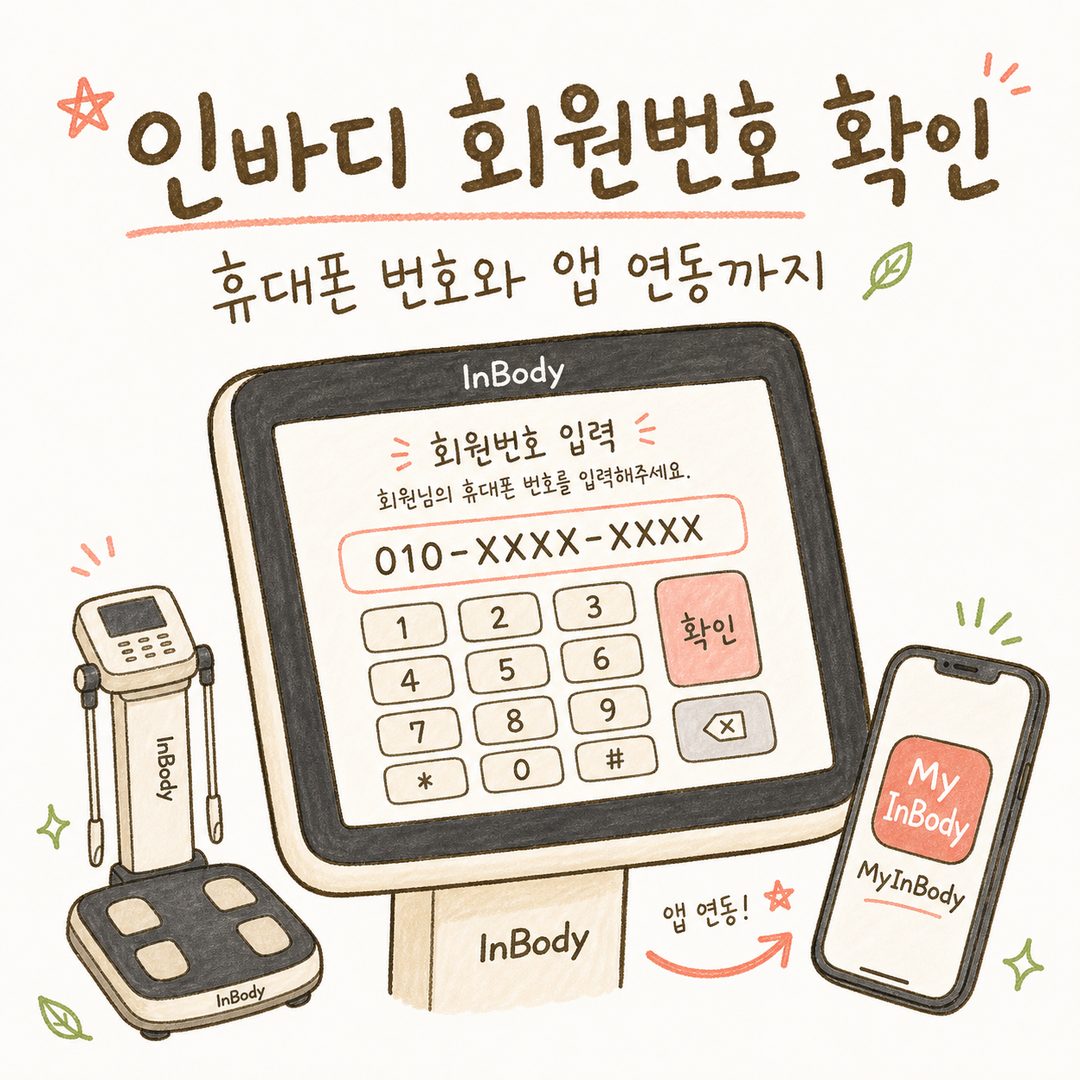
InBody Member ID Guide: From Phone Number to App Sync

Table of Contents
title: "InBody Member ID Guide: From Phone Number to App Sync" ---
Many people starting their weight management journey struggle to track changes through InBody because they can't remember their member ID, preventing their results from syncing to the app. In my practice, I often hear patients say, "Doctor, I want to show you my InBody results, but they're not appearing in the app." The challenge is that InBody member IDs aren't system-generated numbers but rather self-created identifiers. Once forgotten, it's difficult to retrieve them. Today, I'll explain what these member IDs are, how to verify them, and share practical tips for maintaining your weight management records.
Why InBody Member IDs Can Be Confusing
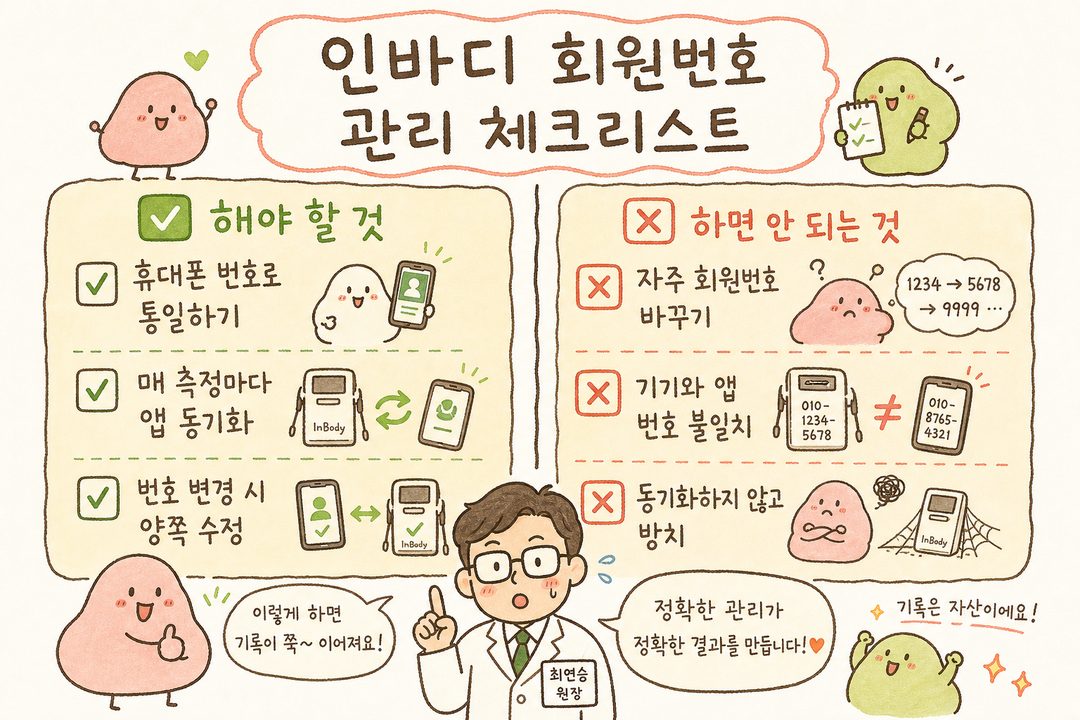
InBody member IDs aren't system-generated numbers with a "lookup" function. The official documentation clearly states that members create their own ID, typically recommending using your mobile phone number. The guide suggests, "Using your mobile number as your member ID makes it easy to remember."
The issue arises because each gym operates differently. Some facilities accept the full 11-digit mobile number, while others use their own 4-digit system. This often causes measurement results from different gyms to not sync with your existing app. Hence begins the search for "What was my number again?"
Verification Process: Gym Device and App
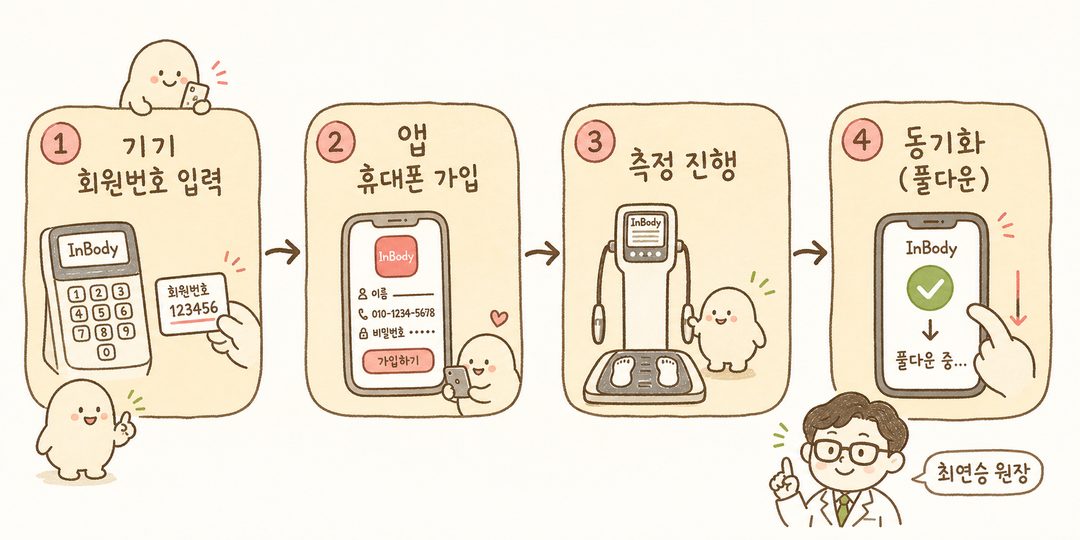
The quickest solution is to check the measurement device screen itself. When you begin an InBody measurement and step on the scale, the touchscreen displays a 'Member ID Input' screen. If you remember your old number, enter it. If not, create a new member ID on the spot. I recommend using your mobile number for consistency and future reference.
If you must retrieve your old number, ask the front desk, "Could you help me find my InBody member ID?" Many facilities can look it up in their internal management system like LookinBody.
For the app process: After installing the InBody app (MyInBody), complete registration by entering your mobile number → gender → height → age → password. The registered mobile number serves as your member ID for the device. If you already use the app, the number in the mobile phone field is your member ID for InBody devices.
For compatible models (InBody 770/570/370S/270), synchronization occurs when mobile number = InBody app member ID. Simply ensure both numbers match. After measurement, open the InBody app and pull down on the main screen to sync. Devices with temporary internet issues may upload results in batches once reconnected.
Baekrokdam's Approach to InBody Analysis
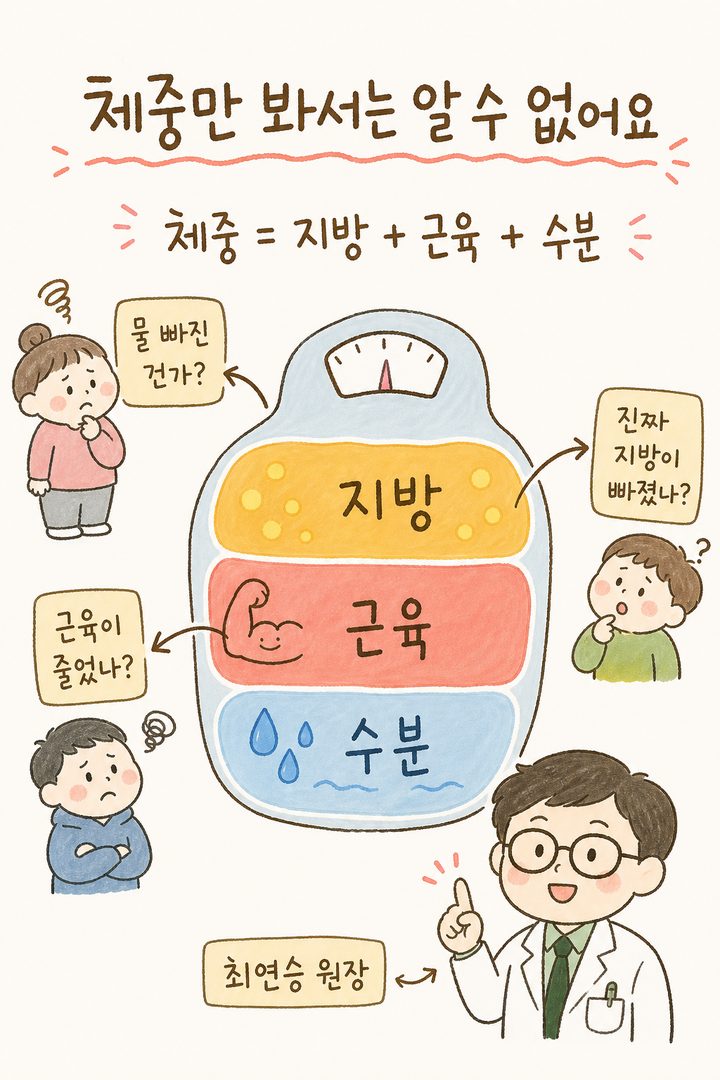
We prioritize InBody measurements in our weight management practice for a simple reason: A scale only shows one number, making it impossible to distinguish between water loss, muscle reduction, or actual fat loss. In Korean medicine, responses to the same diet vary by constitution, so tracking body composition trends significantly helps determine treatment direction.
Patients prone to edema might celebrate rapid weight loss, but InBody often reveals they've only lost water weight while retaining body fat. Conversely, those with low muscle mass who simply reduce food intake often lose muscle, decreasing their basal metabolism. Consistent measurements under the same member ID reveal these patterns clearly. That's why I advise patients: "Please use your mobile number as your member ID and verify app synchronization after each measurement."

Action Items to Complete This Week
To avoid future confusion, here are essential steps to complete:
Install the InBody app and register with your mobile number (11 digits including 010). Verify the number in the app's mobile phone field for peace of mind.
Ask your gym staff if their device is compatible with the app. For compatible models, select 'Member' during measurement and enter your mobile number accurately for app synchronization.
If you can't recall your old number, request a LookinBody search at the front desk or simply register a new ID with your mobile number.
Develop the habit of pulling down to sync on the app's main screen after each measurement. Don't worry if results don't appear immediately—they may sync in batches over several days.
If you change your mobile number, update it in both the InBody app and gym device. Mismatched numbers will split your records.
Uninterrupted records provide objective progress tracking and enable more precise treatment planning during consultations.
Though organizing your member ID might seem trivial, it makes a significant difference when reviewing your progress after months of weight management. At Baekrokdam Korean Medicine Clinic, we analyze both your constitution and InBody trends, using Baekrok Gambi-jung to address body composition changes systematically. If you're curious about the right weight management approach for your constitution, let's discuss it during your next visit.